
 Romana
 English
 Turkce
The procedure itself takes under an hour. What blocks it, almost every time, is a handful of things prepared wrongly before the platform is even opened. Below: the steps in order, and the points where the time actually goes.
Registration or authorisation? They are not the same
The platform offers two different routes, and confusing them costs weeks.
Registration as an employer is done once. It is enough if you bring workers through an authorised placement agency. The answer comes within 30 working days at most.
Authorisation as an employer is requested separately for each firm job offer and allows direct recruitment, without an agency. It is resolved within 15 working days at most, but the conditions are stricter.
This guide covers the first route. The full process, from eligibility to the worker arriving on site, is described in the article on the work authorisation process.
Download the guide as PDFPrintable version in Romanian, 6 screenshots includedWhat has to be in place first
Four things. If one is missing, the procedure stops halfway.
A validated account on hub.mai.gov.ro. Not on workinromania.gov.ro. The Work in Romania platform has no sign-up of its own; authentication goes through the Ministry of Internal Affairs HUB.
A qualified electronic signature, active and tested. Not a simple signature, not a document signed by hand and scanned. Test it on some other file beforehand, not during the procedure. You will see why shortly.
The job declared vacant with ANOFM. That declaration happens earlier, outside the platform. Inside the platform you select from a list of already declared positions. If you have declared nothing, the list is empty.
Company documents, electronic and legible. Two tax clearance certificates: one from ANAF, the national tax authority, and one from the local council the company belongs to. Both are required. Plus the documents concerning directors, partners or shareholders, as applicable.
The unvalidated account trap
HUB MAI lets you create an account by filling in a plain form: name, personal numeric code, phone, e-mail. The account is created, you get a confirmation, everything looks fine. That account is unvalidated and will get you nowhere.
For a validated account there are three routes, all starting from the same page: the electronic identity card (CEI), ROeID, or ghiseul.ro. Validation at a Romanian Police counter is also possible if none of the three is available.
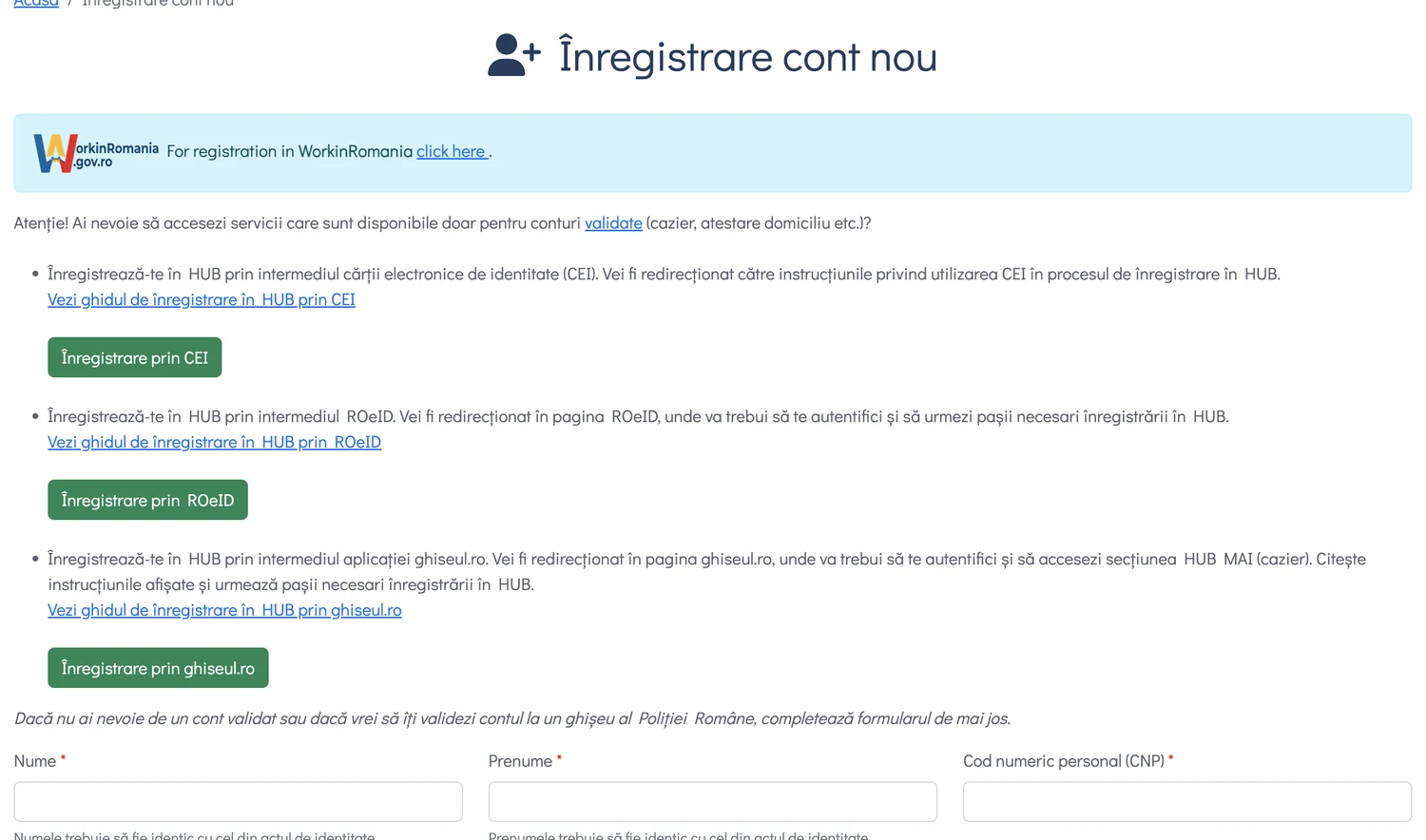
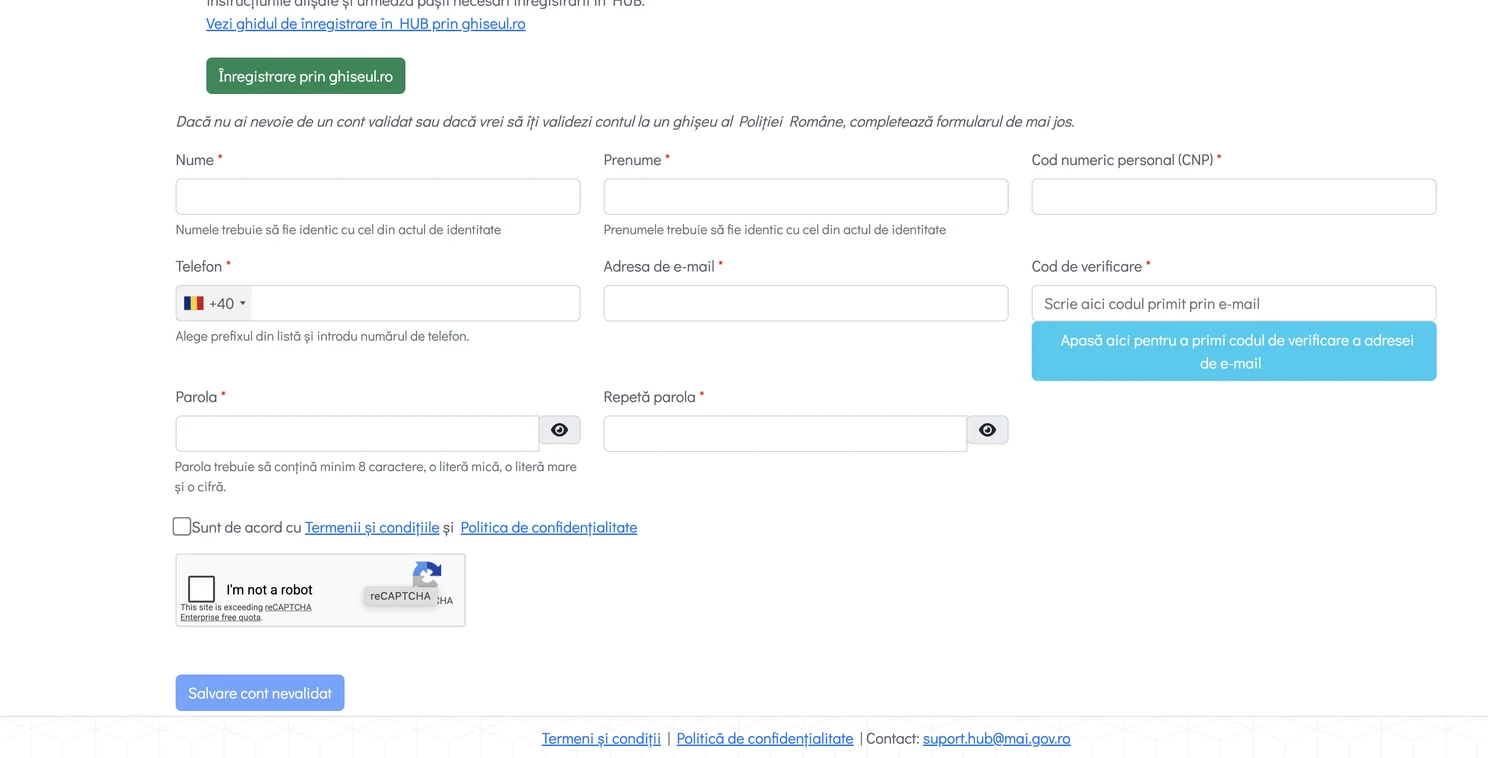
Check which type of account you have before starting the employer registration. An unvalidated account discovered at step three means starting over.
If the legal representative is a foreign citizen
Here the procedure changes, and this is why many companies with a foreign director get stuck at the very beginning.
A legal representative who is not a Romanian citizen cannot use ghiseul.ro. There is a separate form, Creare cont cetatean strain, reached from the platform's Inregistrare menu, option Cetatean strain.
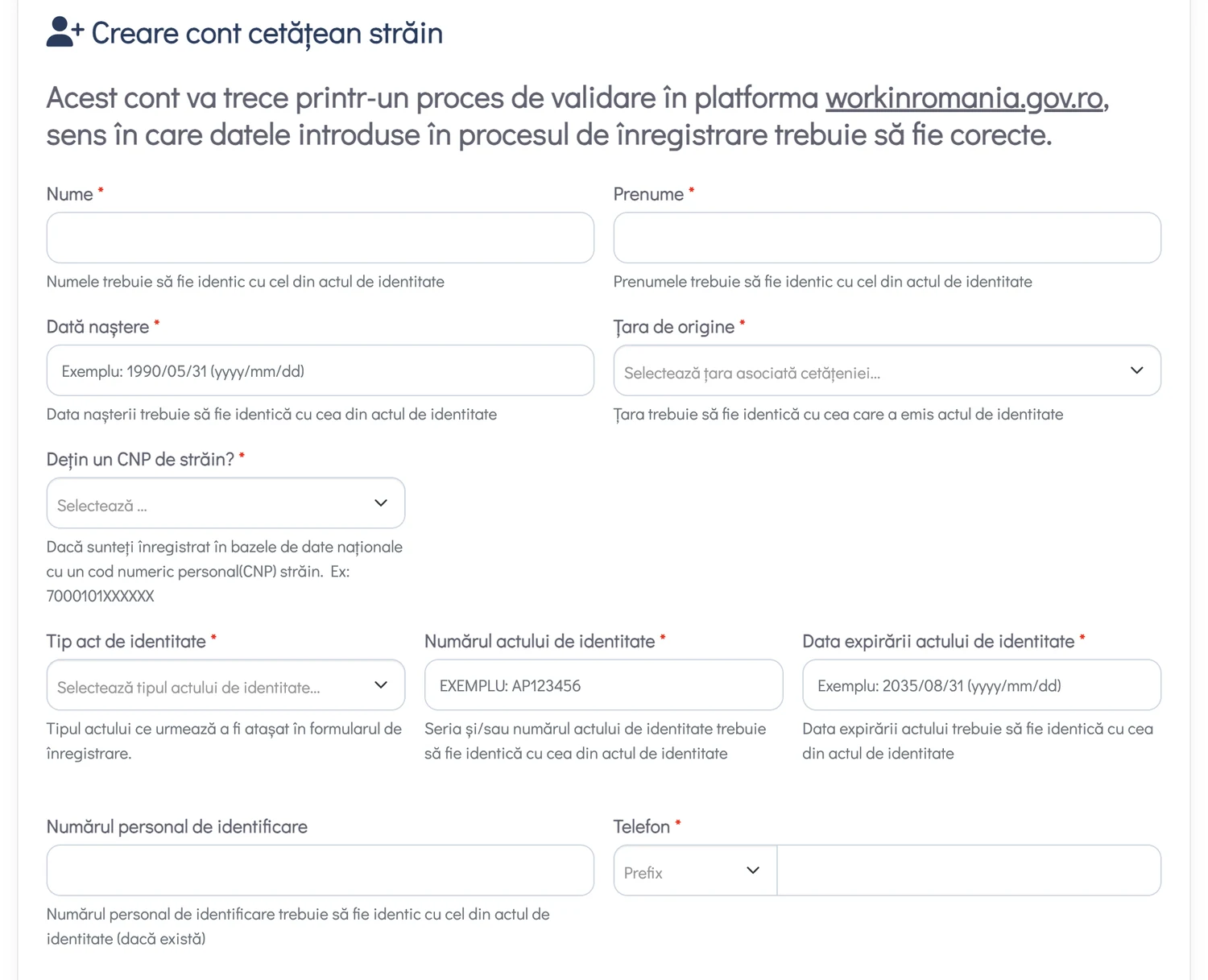
The data must match the identity document exactly: surname, given name, date of birth, issuing country, document number and expiry date. Not approximately, not in a different order. The form asks separately whether you hold a foreigner's personal numeric code issued in Romania; if not, you continue with the passport.
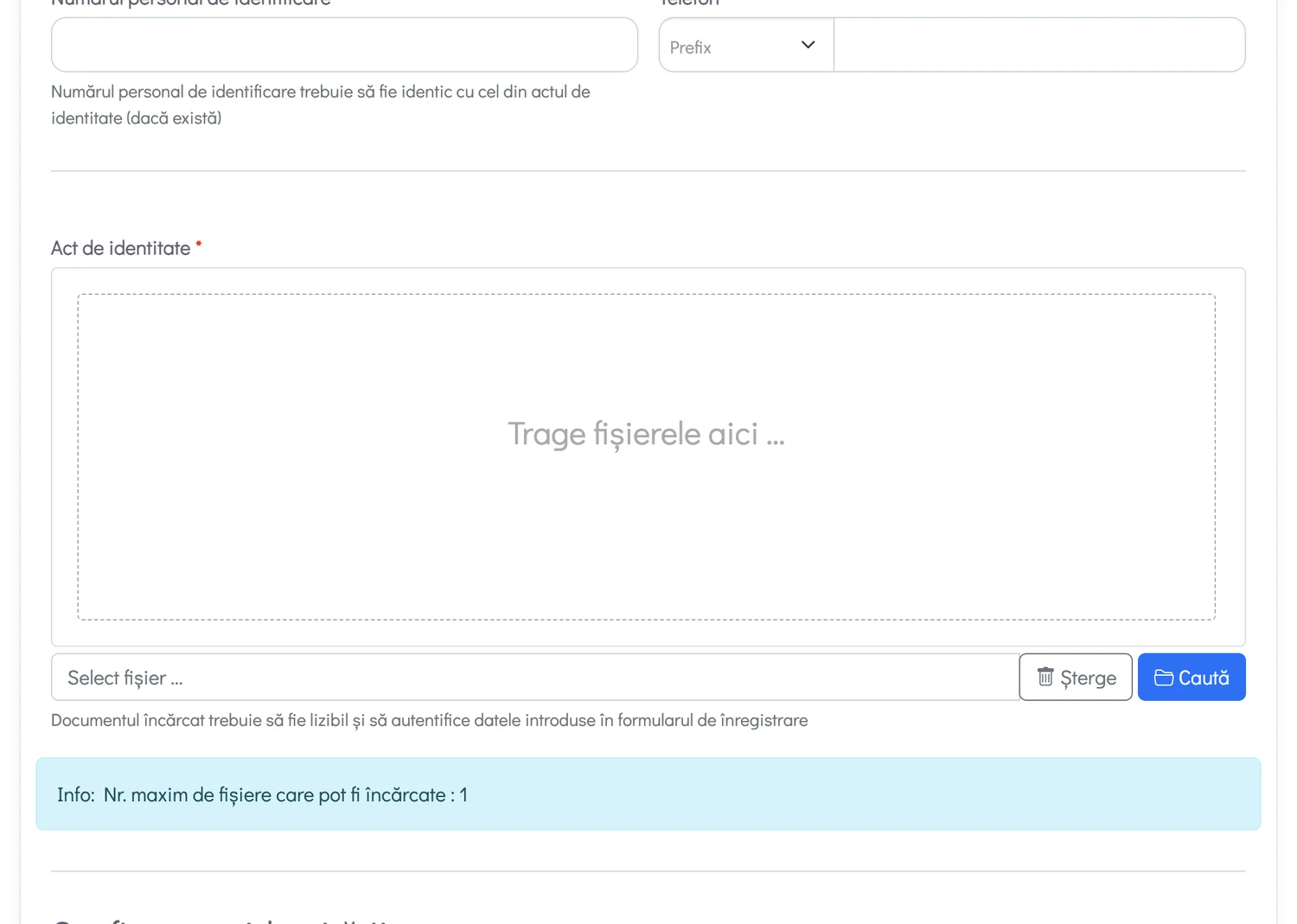
The account created this way goes through a validation process in the workinromania.gov.ro platform. It is not active immediately.
The 15 minute rule
This is where a whole afternoon most often disappears.
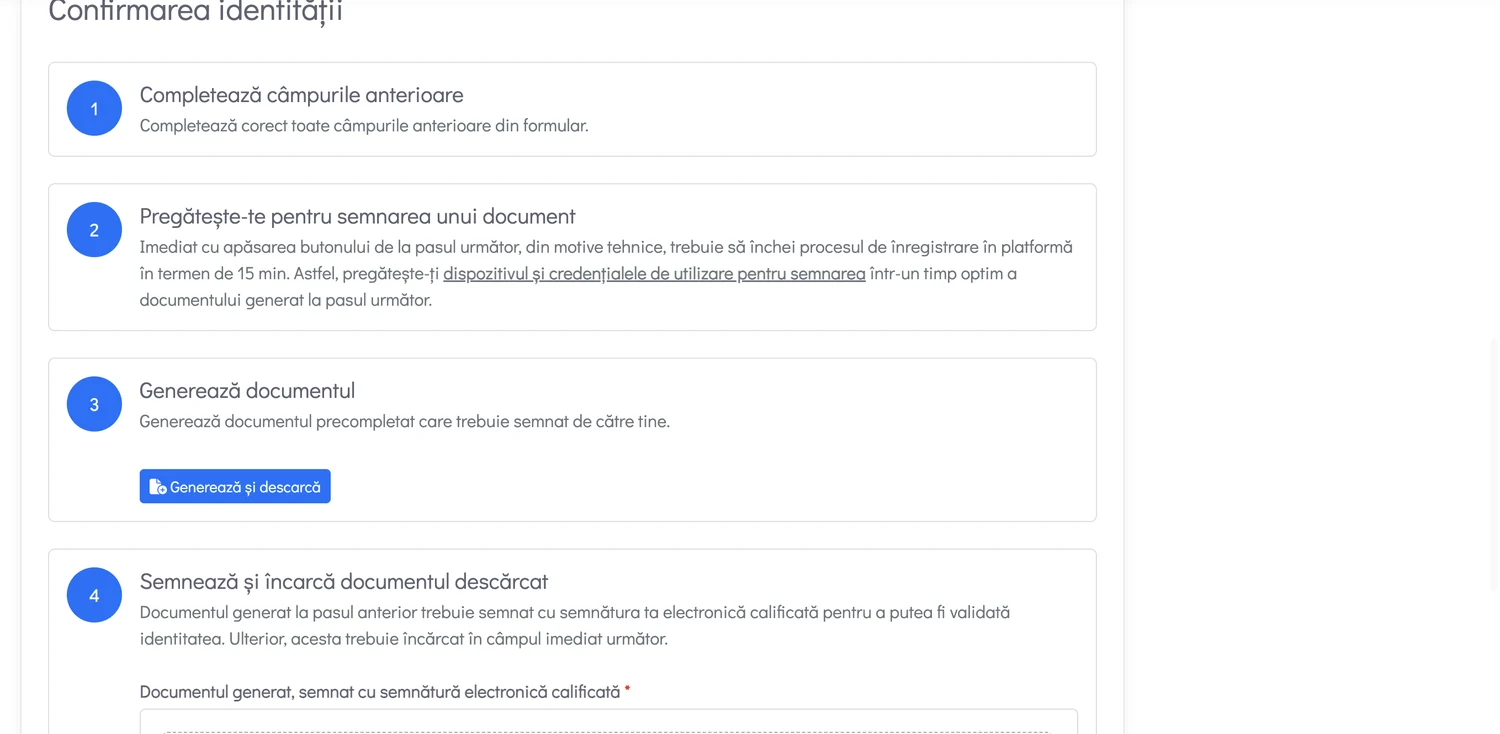
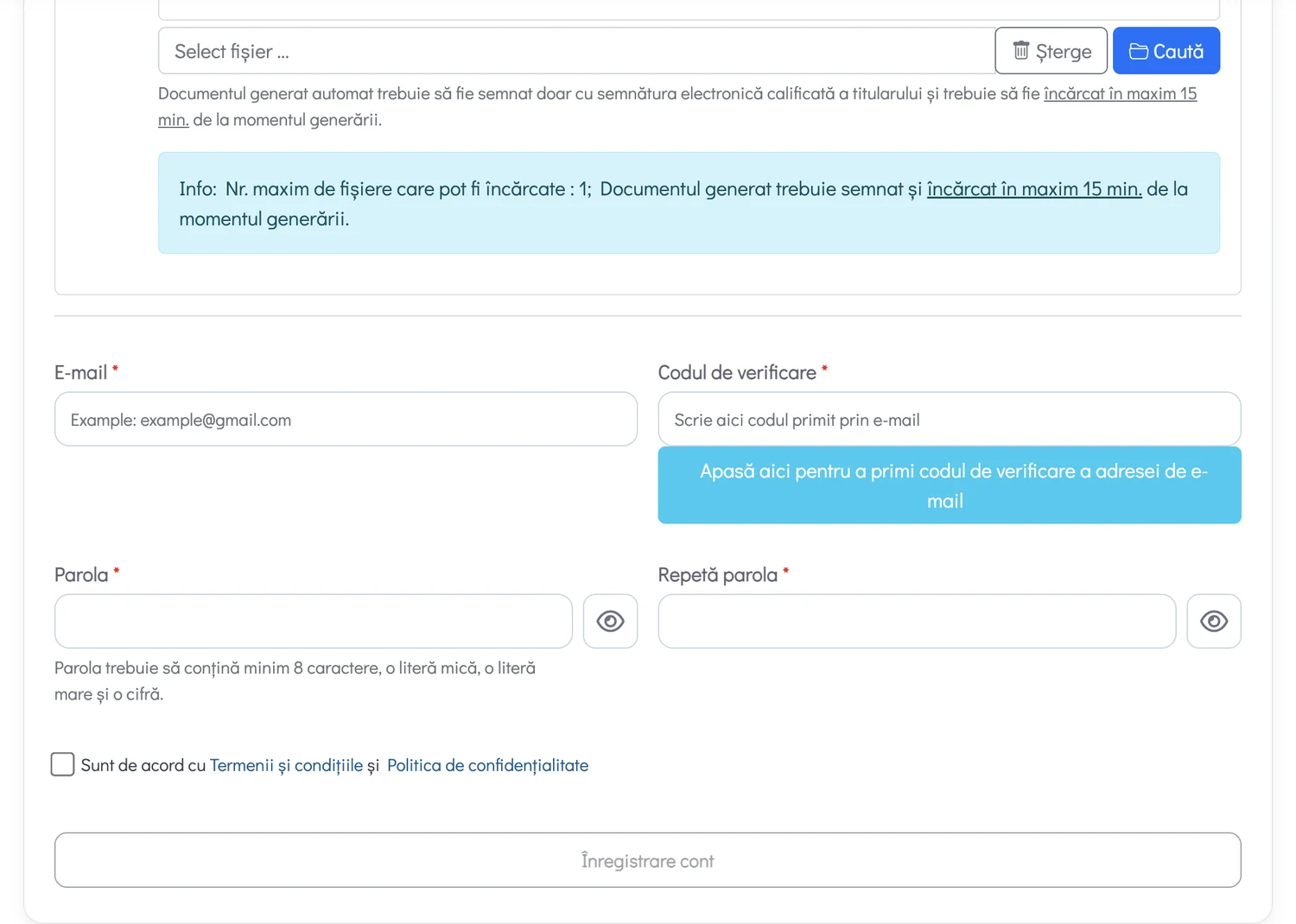
At the end of the form the platform generates a pre-filled document which has to be signed with the holder's qualified electronic signature and uploaded back. From the moment you press the generate button, you have 15 minutes to sign and upload it. After that the document is no longer accepted.
The steps inside the platform
After signing in to WorkinRomania.gov.ro with the HUB MAI account:
Step 1. From the account menu, choose registration as a legal-entity employer. The menu also holds the options for natural persons and for authorisation; make sure you picked the right one.
Step 2. Select the company. The platform automatically identifies the companies linked to the legal representative who holds the account. Tick the data processing consents and start the procedure.
Step 3. Check the contact details pulled in automatically and correct them if needed. The e-mail address entered here is where every later notification goes, including any request for further documents. The step about designating other users to file documents on behalf of the legal representative is optional.
Step 4. Upload the requested documents. Fields marked with an asterisk are mandatory. The platform generates a set of pre-filled declarations: download them, sign them with the qualified electronic signature, upload them back. The status of each document is shown on its row.
Step 5. Confirm that the data taken from ONRC, the trade register, is up to date, tick the responsibility declaration and submit the file.
After submission
The application goes to ANOFM for verification. The deadline is at most 30 working days from filing. You follow the status from the Cererile mele, my applications, section of the account.
Check your e-mail periodically too, spam folder included. A request for additional documents that goes unnoticed means a file that sits still.
Once approved, the company is entered in the register of employers of foreign workers. One thing that is often missed: registration is not a general hiring permit. The firm job offer is uploaded separately, every time you want to bring workers in.
Where the time goes
ONRC data. The platform pulls company information automatically from the trade register, and at the end you are asked to confirm it is up to date. Check it before you start: any correction is made at ONRC, not in the platform.
The wrong kind of electronic signature. What is required is the holder's qualified electronic signature. An advanced signature, or a PDF signed by hand and scanned, will not do.
The job was never declared vacant with ANOFM. You find out at the step where the list comes up empty.
Illegible documents. A crooked scan, or one taken with a phone in poor light, costs a full verification cycle.
Mismatches between documents. A passport name spelled differently in the form, an expiry date keyed in wrong. The platform compares exactly.
What to take away
The hard part is not filling in the form, it is the preparation before it: validated account, tested signature, declared job, clean ONRC data. With those four in order, the procedure is short.
Download the guide as PDFPrintable version in Romanian, 6 screenshots included